TABLE OF CONTENTS
Reviewing Past Results
After starting a practice, you will see your last entered results for each exercise. All session results can be found in your Calendar, though. If you want to view ALL your past results for a specific practice, skip to that section.
- Select Calendar from the Dashboard or main menu.
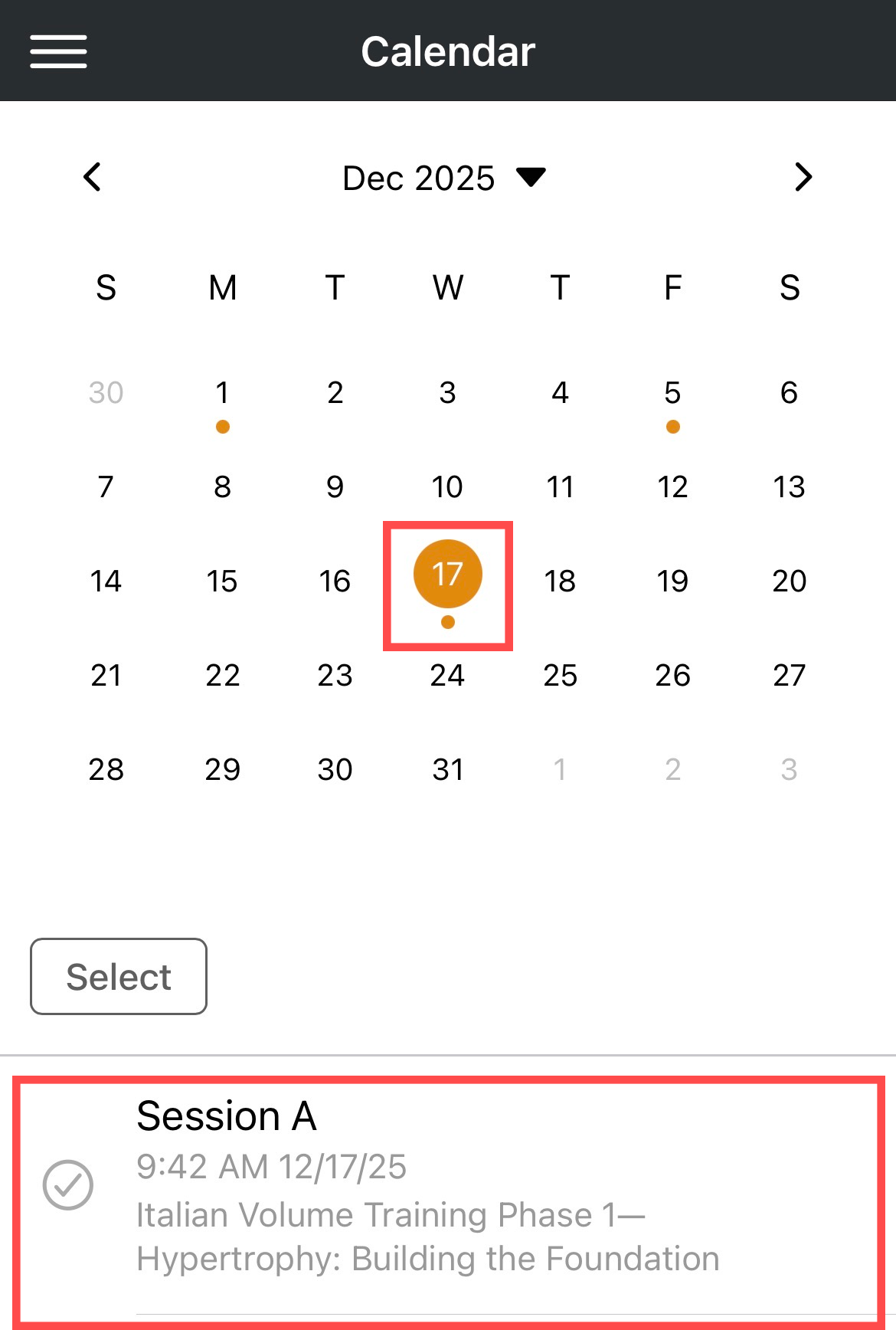
- Select a date. A dot will be shown below each date where a practice has either been scheduled or completed.
- Tap the practice session.
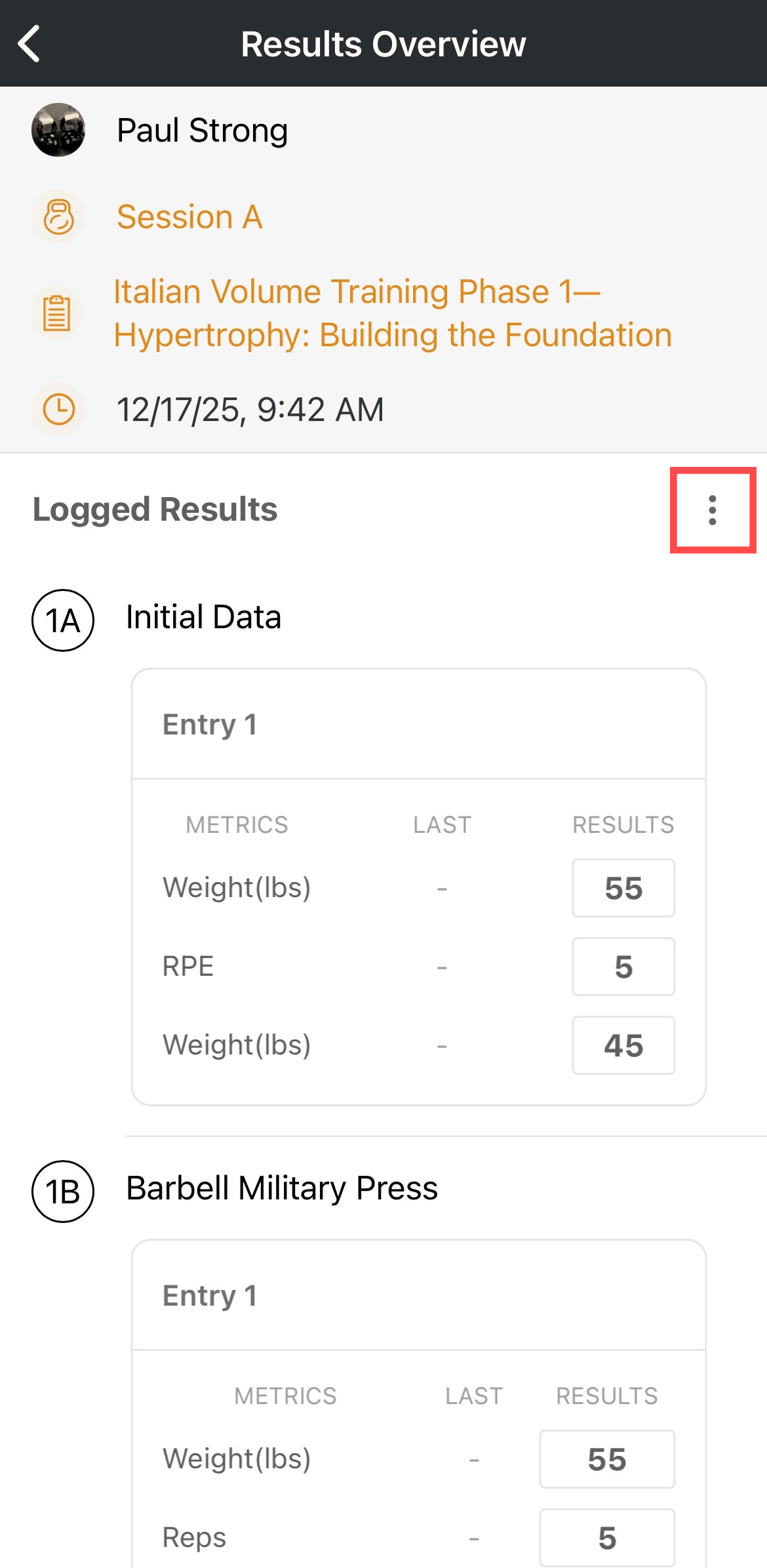
- You will be taken to the Results Overview, where you can review your session's results.
- Use the kabob to Edit the results or Delete the event entirely.
Viewing All Past Results for a Specific Practice
- Tap Training Library from the Dashboard.
- Find and select the practice you want to view all results for.
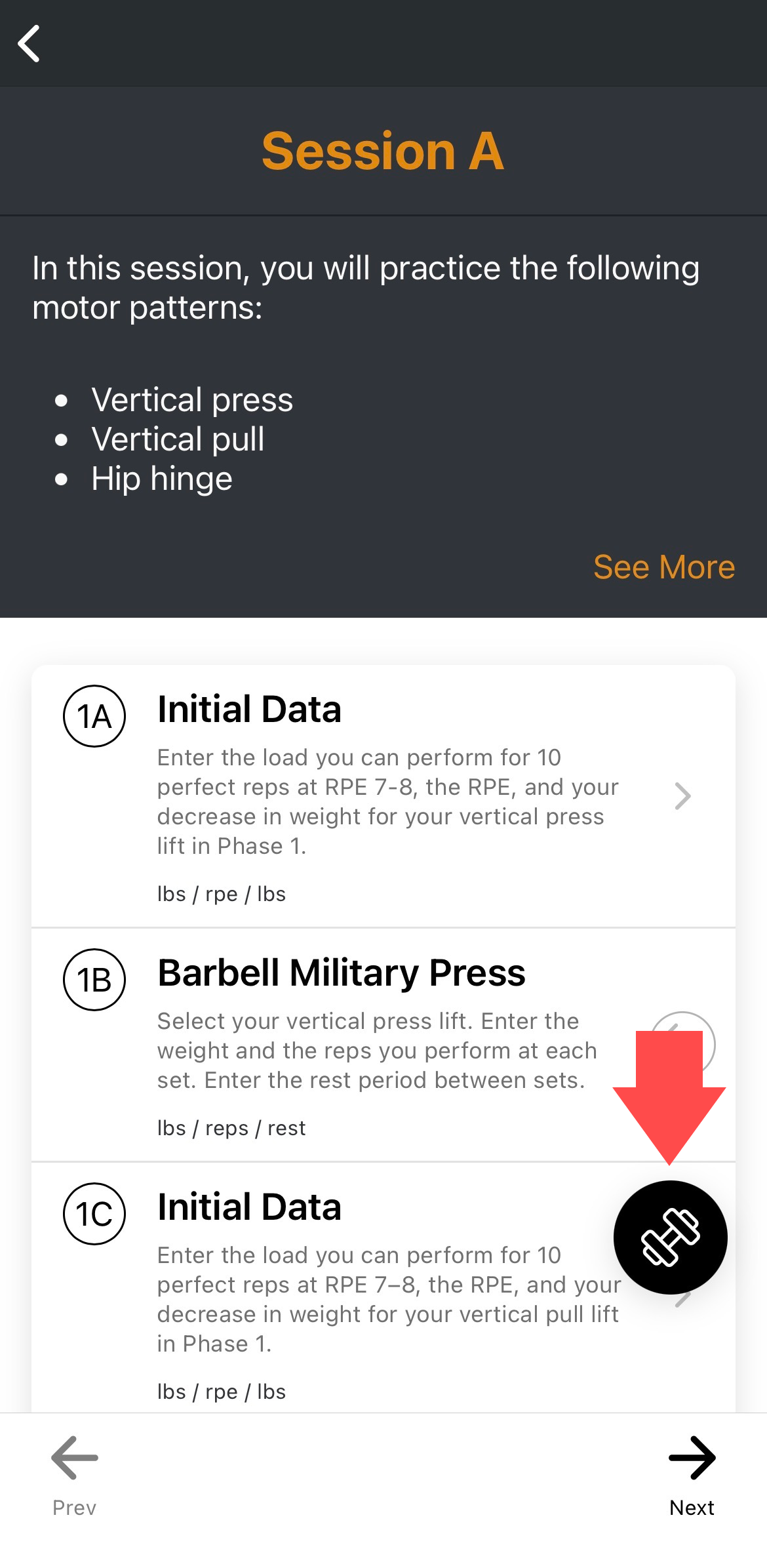
- Tap the barbell button in the lower right corner of the practice overview.
- Select View History from the menu that appears.
- Results are listed from most recent to oldest.
- Tap the caret icon to expand or collapse a set of results.
Was this article helpful?
That’s Great!
Thank you for your feedback
Sorry! We couldn't be helpful
Thank you for your feedback
Feedback sent
We appreciate your effort and will try to fix the article